
Quiz Funnel Lead Generation: Build High-Converting Funnels

Updated Published 17 min read
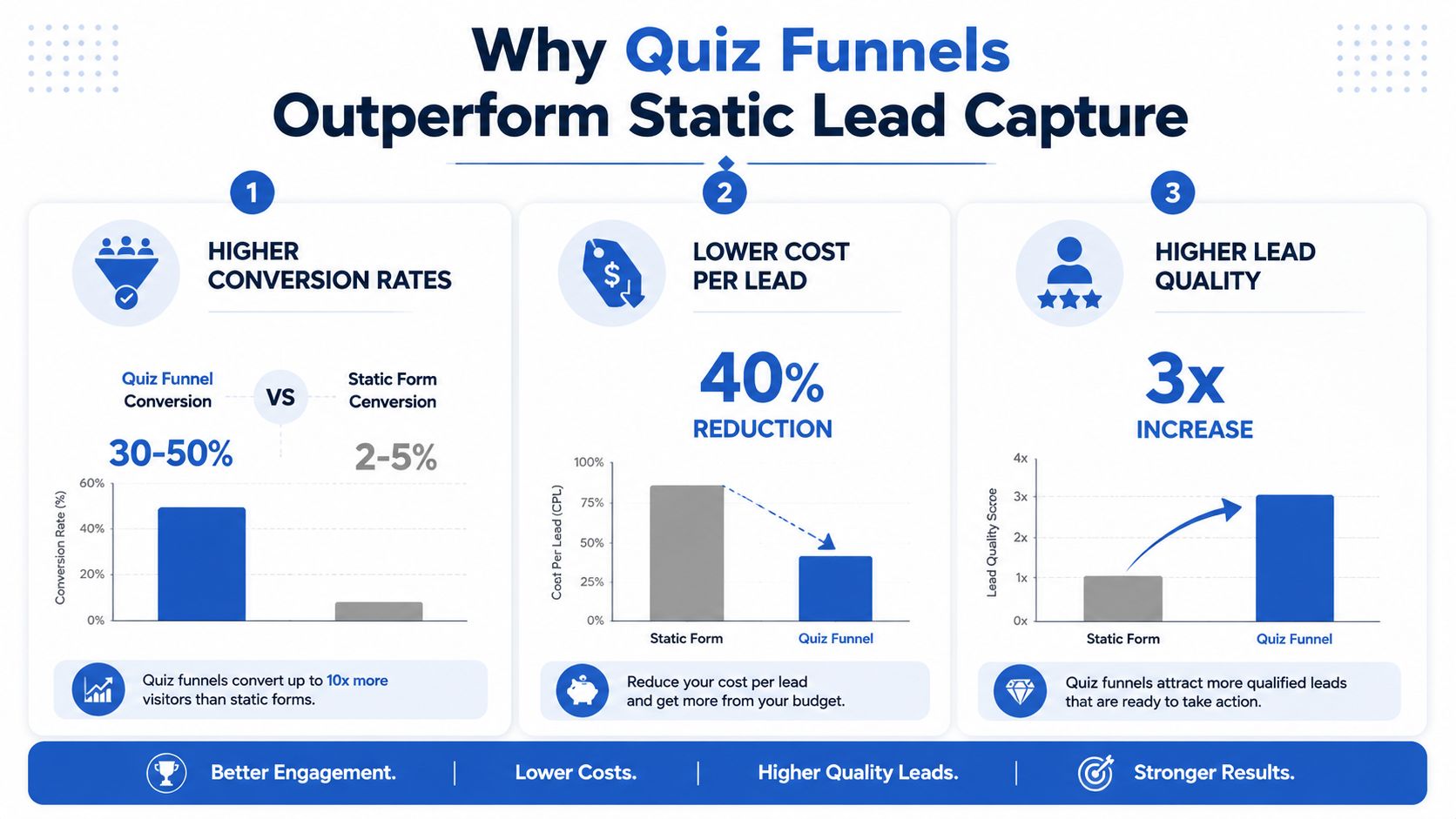
A quiz funnel can produce a 41.4% opt-in rate, compared with roughly 1.9% for a standard pop-up, according to Riddle's 2025 quiz marketing report covering 3.13 billion quiz questions answered. The same report found a 73.4% average completion rate across quizzes, polls and games, and a 37% lower cost per lead when paid traffic went to a quiz instead of a pop-up. The opportunity is clear, but it doesn't answer the operational question that matters after launch: did those leads arrive with valid consent, intact attribution, fast delivery, and enough intent to become revenue?
That distinction separates a clever interactive form from a production-ready quiz funnel lead generation system. In insurance, solar, legal, and home services, a lead isn't valuable merely because someone completed a few questions. The buyer or sales team needs the right geography, a workable timeline, verified contact details, documented consent, and source data that survives from the ad click through the CRM and final disposition.
Why quiz funnels outperform static lead capture
Static forms demand commitment before they create momentum. A visitor sees a block of fields, weighs the effort against the offer, and either submits or leaves. A quiz reverses that sequence. It begins with a relevant question, earns another interaction, and introduces qualification while the visitor is already engaged.
The acquisition advantage matters, but it is only the front end of the case. A quiz can collect useful zero-party data and make the next sales conversation more relevant. It can also create operational problems if consent, attribution, or delivery fails after submission. A high completion rate does not compensate for records that arrive without usable source data or reach the CRM too slowly for timely follow-up.
Measure the stages, not only the final opt-in
Headline opt-in rate can hide a weak earlier step. Model the journey as:
Visitors × start rate × completion rate × opt-in rate = leads
Interact's quiz conversion report shows why a blended conversion rate can mislead: across its customers' lead-generation quizzes, 65% of people who start a quiz reach the result, and 40.1% of starters leave their contact details. Splitting the funnel into stages identifies where the leak sits rather than treating every lost visitor as the same problem.
A campaign may attract plenty of starts but lose respondents on a confusing qualification question. Another may complete well and then lose people at an aggressive contact gate. Those failures require different fixes. Review each stage by traffic source, device, question, and audience segment before changing the thank-you page.
The same stage-based view should continue after submission. Track whether the record passed consent validation, retained campaign and click identifiers, reached the CRM or lead buyer in real time, and received an accepted status. In insurance, solar, and legal campaigns, revenue depends on these handoffs as much as on the initial form conversion.
Why multi-step design changes the economics
Breaking a long form into smaller interactions lowers perceived effort. Splitting the same field count across two to three steps typically lifts completion, and the lift grows with the number of fields, without changing the underlying traffic.
The format earns its place only when engagement produces contactable, properly consented records. Match the ad promise to the opening question, preserve attribution through every step, and reject or route incomplete records clearly. Production performance depends on the questions and the plumbing behind them.
Designing the quiz funnel structure
A quiz funnel earns the next question by making the first interaction useful. The structure should feel like an assessment, not a disguised application. Question order determines when visitors will accept a commercially sensitive request, so build the sequence around effort, relevance, and the value delivered at each stage.
Start with a low-friction hook question. A solar funnel might ask what the visitor wants to improve about energy costs. An insurance funnel could identify the coverage they are considering. A legal funnel might establish the general issue without demanding a full narrative. The opening question should match the ad or landing-page promise closely. Any mismatch creates doubt before the funnel has earned attention.
Sequence questions by psychological effort
Follow the hook with questions that establish fit, then collect the details needed for routing and follow-up. Opening with budget, phone number, or a detailed address often feels premature unless the visitor expects a direct quote. Ask for that information after the funnel has shown why it is relevant.
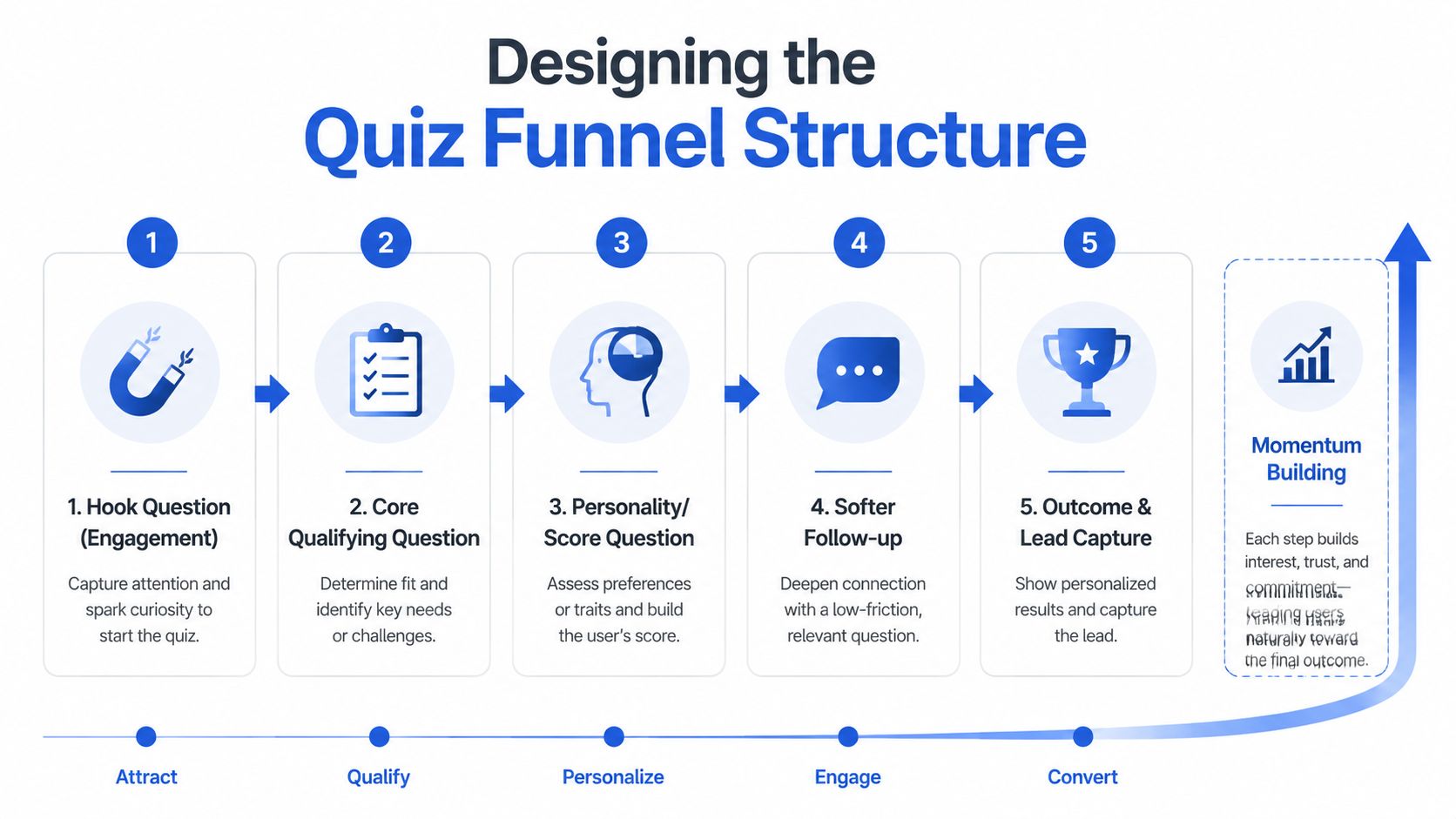
A practical sequence looks like this:
- Engagement: Ask about the visitor's goal or current situation.
- Qualification: Establish the condition that determines whether the offer applies.
- Personalization: Collect information that makes the eventual result specific.
- Soft follow-up: Ask about timing, preferences, or readiness for the next step.
- Outcome and capture: Explain what the visitor will receive, then request contact details.
The fields change by vertical. Solar flows may need property ownership and project timing. Insurance flows may need coverage type and location. Legal flows may need incident category, jurisdiction, and whether the visitor has retained counsel. Home-services flows may need service type, property status, and urgency.
Keep attribution and consent fields connected to the record as this sequence runs. A visually strong quiz still fails commercially if campaign identifiers disappear between steps, consent cannot be verified, or the final record reaches sales without the context that produced it.
Decide what the opt-in gate promises
Place the opt-in immediately before the result when the result itself creates a clear exchange. The visitor has invested effort and wants the outcome, while the operator receives contact information at a high point of curiosity. The gate becomes a liability if the result is generic or the promised follow-up is vague.
A partial preview reduces that tension. Show the category or broad recommendation, then offer the detailed explanation, quote, matching service, or consultation after contact capture. This gives the visitor a concrete reason to continue and leaves room for context and disclaimers in regulated industries.
Keep the form proportionate. Request only information used for follow-up, verification, routing, or personalization. If a buyer needs a phone number, explain why and describe what happens next. Consent language should be visible, readable, and tied to the action, rather than buried beneath a visually dominant button.
Treat the results page as a sales asset
The results page should explain the result, state a practical next step, and route the visitor to a relevant action. A qualified solar lead might receive an explanation of the recommended path and a scheduling option. A legal lead should receive a clear next step without language that implies a promised outcome.
For worked examples of question design, see this guide to lead gen quizzes. The platform matters less than whether the flow preserves momentum, captures usable consent, and passes the data sales and buyers need.
Building qualification logic and disqualification paths
Qualification logic should protect the downstream operation without making the quiz feel hostile. The common mistake is asking every hard question at the start, then treating anyone who fails one condition as a dead end. That approach may filter aggressively, but it also creates abandonment and wastes paid traffic.
Use progressive qualification instead. Let the visitor understand the offer before asking about the constraints that determine eligibility. A solar campaign might begin with the desired outcome, then ask whether the visitor owns the property, followed by location and project timing. A legal campaign might establish the matter type before asking about jurisdiction or representation. An insurance flow can identify the product need before requesting details required for routing.
Use logic jumps to reduce unnecessary questions
Conditional logic should remove questions that don't apply. If someone selects a roofing repair, don't send them through questions written for a full replacement. If a visitor chooses a specific insurance product, show the fields needed for that product rather than presenting a universal form.
Good logic has three characteristics:
- Relevant branches: Each answer changes the next useful question.
- Visible progress: The progress indicator reflects the actual journey or uses language that doesn't mislead.
- Stable data mapping: Every branch writes consistent field names and values into the CRM or buyer payload.
Build the logic on a decision map before styling the form. For each answer, document the next question, qualification status, destination, and data passed downstream. This catches contradictory paths, such as a disqualifying answer followed by a booking invitation.
Conditional logic forms provide a useful reference for this implementation pattern, particularly when the form needs to qualify and disqualify within the same experience.
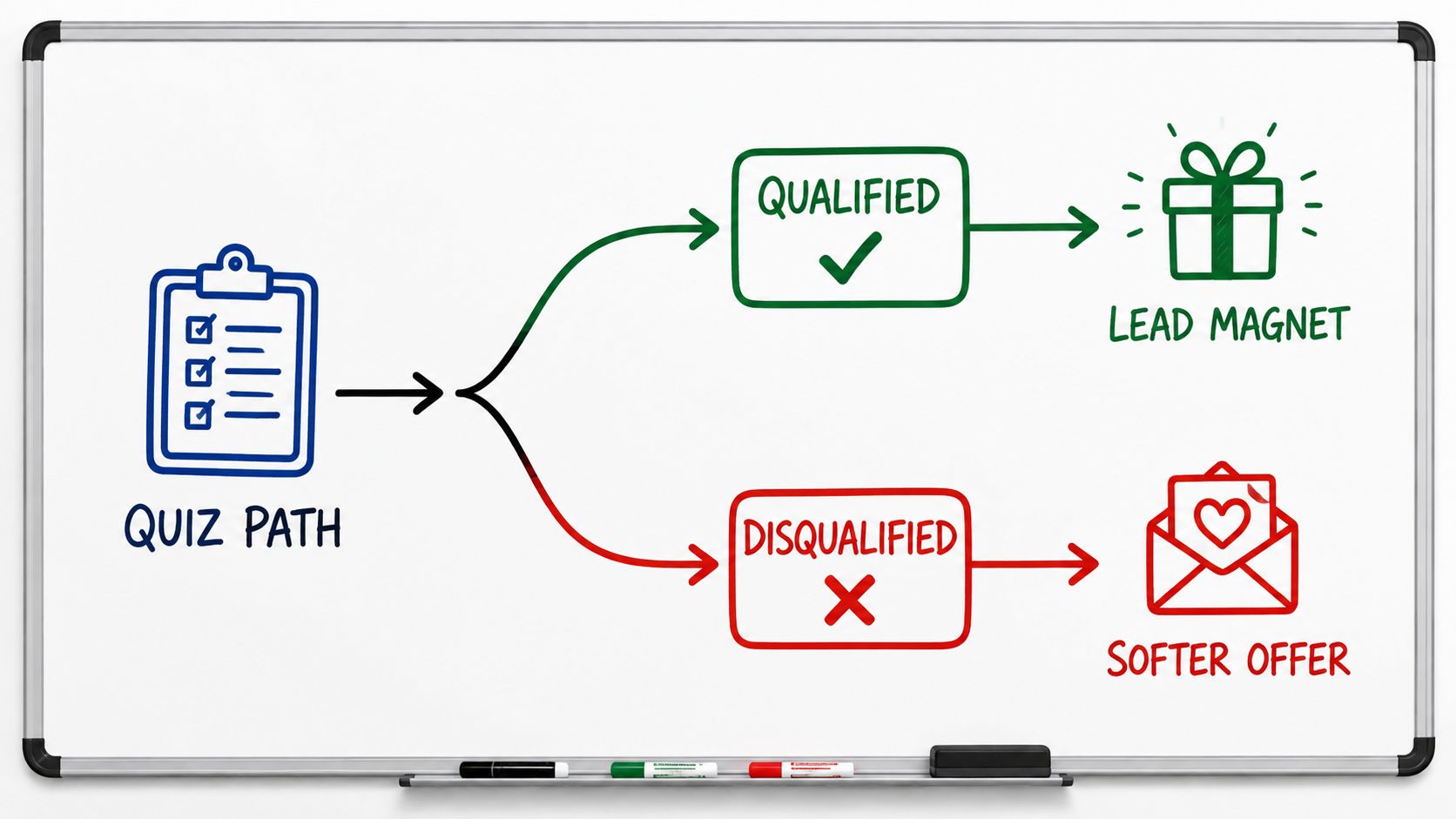
Disqualify without destroying trust
A disqualification page is still part of the brand experience. Don't tell a visitor they're “not a lead.” Explain that the current offer or service doesn't match the information provided, then give a legitimate alternative where one exists.
For instance, a home-services funnel might direct an unsuitable project to a different service category. An insurance flow might suggest speaking with a general information team rather than presenting a product match that doesn't fit. A legal funnel should avoid implying a legal judgment based on a few answers.
The operational benefit is cleaner routing. The commercial benefit is preserving future demand. Store the disqualification reason as a structured value, not only as free text, so you can identify recurring audience mismatches and refine targeting or ad copy.
Separate eligibility from sales priority
Not every qualified lead deserves the same route. A visitor who needs service immediately may belong in an instant call or SMS workflow, while someone researching options can enter a slower nurture path. Use fields such as urgency, timeline, location, and requested service to assign priority.
Avoid using logic as a blunt volume throttle. If the sales team can't handle every lead, route lower-priority records to nurture or a different buyer rather than dropping them without explanation. The quiz should make the decision explicit in the system, with a reason that can be audited later.
Funnel architectures for high-stakes verticals
High-stakes verticals need different opening promises and different disqualifiers. A generic "find out if you qualify" headline can attract curiosity, but it doesn't tell the visitor what decision the funnel will help them make.
Solar and home improvement
A solar flow might begin with the property situation and the visitor's goal, then branch into ownership, location, property details, utility context and project timing. Renters can receive a clear alternative path rather than being pushed through homeowner questions. Home services need a faster route when intent is urgent. A repair funnel can ask the service category, location and urgency before requesting identity details, while a replacement or renovation funnel can use a longer path because scope, budget and timing affect routing.
Legal and mass tort
An incident questionnaire can identify the situation, date range, location and basic eligibility signals, but it shouldn't promise a legal outcome. If a lead may be shared with a law firm, network or intake provider, the contact step should state that plainly.
Insurance and finance
Insurance qualification often depends on product type, location, existing coverage and timing. Finance and mortgage flows may need loan purpose and property context. These are high-friction questions, so the visitor needs a clear reason for each. One buyer may value broad volume and do its own qualification, while another rejects incomplete records immediately. Build the funnel against the strictest field and consent requirements that govern delivery.
Wiring tracking, attribution, and compliance plumbing
A quiz funnel can report healthy conversions while losing the information required to explain revenue. The failure usually sits outside the visible form, in hidden fields, webhook payloads, consent records, or routing rules. Test the complete data path from ad click through delivery before sending paid traffic.
Capture source parameters on arrival and preserve them through every step. Store UTMs, campaign and ad identifiers, click IDs such as gclid and fbclid, plus publisher or buyer sub-IDs. Refreshes, back-button actions, embedded forms, and redirects to results or scheduling pages can discard these values.
Preserve attribution as a first-class record
Use one naming convention across landing pages, analytics, CRM fields, and distribution platforms. Record the original values rather than relying only on the last page viewed. That distinction matters when a visitor returns later, completes the quiz after several sessions, or reaches the form through a redirect.
A practical tracking layer covers four areas:
- Acquisition data: Source, medium, campaign, ad, keyword, and click ID where available.
- Behavioral events: Quiz view, start, question progression, completion, opt-in, results-page CTA, and booked or transferred action.
- Outcome fields: Qualification status, disqualification reason, buyer response, contact status, and revenue disposition.
- Server-side signals: Conversion events sent through Meta and Google server-side tools when browser-based tracking is incomplete.
Client-side pixels support immediate behavioral reporting. Server-side signals help recover events lost to browser restrictions or blocked scripts. Deduplicate them with a shared event identifier. Otherwise, the browser and server can report the same lead separately, inflating campaign performance.
Consent evidence must travel with the lead
A checkbox by itself does not create a complete operational record. Regulated acquisition may require the page context, timestamp, consent language, source, and evidence that the visitor agreed to the applicable contact terms. TrustedForm and Jornaya are commonly used in lead-buying workflows, but the certificate or token must be attached to the lead payload, not stored separately from it.
Consent language must match the routing model. If several companies may contact the lead, the disclosure should not imply that one named business is the only recipient. Keep the consent action distinct from unrelated terms, make the disclosure readable on mobile, and record language changes so an older lead can be tied to the version shown at submission.
Deliver leads while intent is still fresh
Batch exports create a gap between submission and follow-up. Send validated records through real-time webhooks to the CRM, lead distribution platform, or buyer. The receiving system should return a clear success or failure response. Log retries and use an idempotency key or equivalent control so a timeout does not create duplicate leads.
Define the outbound schema before connecting the endpoint. A flat payload is often easier for older lead buyers and routing systems, while a nested structure can preserve richer answer groups. Either way, document field names, permitted values, consent fields, source data, validation results and the unique lead ID. Retry transient errors with backoff, and send permanently failed records to a dead-letter queue. Without that queue, a timeout can become a lost lead with no obvious owner.
Routing usually depends on more than a score. Geography, product line, consent status, qualification outcome and buyer eligibility can all change the destination. Put those rules in a decision matrix that operations can review without reading code:
| Lead attribute | Condition | Destination | SLA |
|---|---|---|---|
| Qualification outcome | Meets the campaign's fit rules | Primary CRM or buyer endpoint | Immediate |
| Qualification outcome | Fails a defined eligibility rule | Disqualification or nurture path | Immediate record update |
| Consent status | Required channel evidence is complete | Authorized sales or buyer route | Immediate |
| Consent status | Evidence is missing or ambiguous | Compliance review or suppression queue | Hold delivery |
| Product or territory | Matches an assigned lane | Relevant team, buyer, or distribution route | Immediate |
| Delivery status | Endpoint returns a temporary failure | Retry queue | According to retry policy |
If a buyer disputes quality, the operator should be able to replay the journey, which means keeping the original source, answers, validation responses, consent evidence, routing decision, endpoint response and follow-up activity in one lead timeline.
Phone and email verification can stop fake or unreachable records before they reach sales. It does not replace qualification, but it reduces wasted call attempts and makes buyer feedback easier to interpret.
This practical guide to setting up a Jornaya form with Growform is relevant when consent evidence needs to be captured at the form layer rather than reconstructed after delivery.
A short implementation walkthrough can keep marketing and technical owners aligned:
Measuring what matters in quiz funnels
A healthy opt-in rate can hide a poor revenue process. Paid traffic may produce completed quizzes and contact records, yet buyers reject them, sales cannot reach them, or booked appointments fail to show. Measure the funnel as a chain from start rate through completion rate, lead conversion rate, results-page CTA conversion, and average time spent. These stages matter because the opt-in is only the handoff, not the commercial outcome.
Track quality after submission
Acceptance rate shows how many delivered records meet the buyer's rules. Compare it with return reasons, such as duplicate records, invalid contact details, missing consent, service-area mismatch, or a qualification answer outside the buyer's criteria. Those reasons point to different fixes. A high duplicate rate suggests routing or identity controls. Repeated geographic rejects may indicate a targeting or qualification problem.
Contact status adds another layer. Record whether the lead was reached, replied, booked, transferred, or closed. For insurance, solar, and legal campaigns, the receiving team's response can change the value of a source even when its front-end conversion rate stays stable.
Revenue per lead connects those outcomes to economics. Calculate it by campaign, ad, keyword, geography, result type, and qualification path. Cost per qualified lead should use the spend required to produce accepted, usable records, not only the number of raw submissions. If buyer feedback arrives after delivery, store it against the original lead ID so the campaign report reflects later outcomes.
Preserve attribution and consent through the handoff
A CRM record without durable attribution cannot explain why one audience produces accepted leads while another produces returns. Persist the original source, campaign, ad, keyword, landing-page variant, quiz result, and qualification path through the webhook and into the buyer's system. Keep the lead ID consistent across retries, transfers, appointments, and revenue events.
Consent also belongs in the measurement model. Store the disclosure version, timestamp, page or form context, and the selections that authorized contact. If several companies may follow up, the recorded language must match that routing model. A missing or mismatched consent record can turn an apparently profitable source into a compliance risk.
Report stage-by-stage cohorts rather than one blended conversion rate. Review where records fail, how quickly they are delivered, whether buyers accept them, and what revenue follows. Real-time delivery and clear failure logs matter here because delayed or duplicated records distort both acceptance and revenue reporting.
Optimizing and scaling quiz funnel performance
Optimization starts with the stage that loses the most value. Weak starts point to a mismatch between the promise, page context, and traffic. Weak completions require checks on question order, answer clarity, loading behavior, and mobile interaction. Weak opt-ins usually indicate a poor value exchange or unclear gate language.
Prioritize one failure point, then test changes such as:
- Question order: Open with an easy, motivating question that earns the next response.
- Gate placement: Compare immediate results gating with a partial preview, while tracking lead quality and consent completion.
- Progress treatment: Test a progress bar, step labels, or simpler completion language.
- Answer design: Use clear, thumb-friendly choices instead of dense text on small screens.
- Results CTA: Match the next action to intent, whether that means a call, booking request, quote, or personalized follow-up.
A valid test needs a defined audience, stable traffic mix, single primary hypothesis, and enough observations for a useful decision. Change one major variable at a time. Statistical significance can support the decision, but practical significance determines whether the test deserves rollout. A small opt-in gain is a poor trade if accepted leads, appointments, or revenue decline.
Mobile review needs production devices, not only a desktop preview. Check tap targets, keyboard behavior, validation messages, page speed, sticky elements, and recovery after an accidental back action. Walk through every qualification and disqualification branch, including consent capture and the final handoff.
Scale after the plumbing holds under load. Confirm that source and campaign fields persist through retries, consent evidence stays attached, verification failures are logged, and real-time webhooks cannot create duplicate records. Keep the original funnel as a control while expanding by creative angle, audience, geography, or vertical. Judge each expansion by accepted, contactable, and revenue-producing leads, not starts or raw submissions.
Choosing the right lead capture tool
The tool category shapes what your marketing team can test without engineering support. A native landing-page form may be adequate for a short campaign with simple fields. A generic survey platform can create a polished question flow, but routing, hidden-field persistence and consent evidence need careful testing across embeds and redirects. A dedicated lead-capture builder fits when the funnel itself is the interface between paid traffic and a sales or distribution system.
| Tool category | Conditional logic depth | Hidden field reliability | Best use case |
|---|---|---|---|
| Native landing-page form | Basic to moderate | Often dependent on page and integration setup | Short campaigns with straightforward capture |
| Generic survey tool | Moderate to strong interaction logic | Requires careful validation across embeds and redirects | Research, feedback, and lighter qualification |
| Dedicated lead-capture builder | Built for branching qualification and disqualification | Designed for campaign parameters, routing, and delivery | Paid lead funnels with CRM, buyer, and compliance requirements |
Before choosing one, test the complete path, not just the form preview. Pass a real ad parameter, submit each branch, inspect the payload, and confirm how the tool handles refreshes, redirects and failed integrations. This comparison of quiz builders for lead qualification funnels is a useful starting point.
Growform sits at the capture layer and feeds your CRM or lead distribution platform. The lead generation quiz template is a multi-step form with picture buttons on the opening questions and conditional logic on the rest. Lead disqualification handles the visitors no buyer wants, hidden fields carry UTMs and click IDs through every step, and TrustedForm and Jornaya certificates travel with the lead. Start free trial to build your first quiz funnel.
Related articles
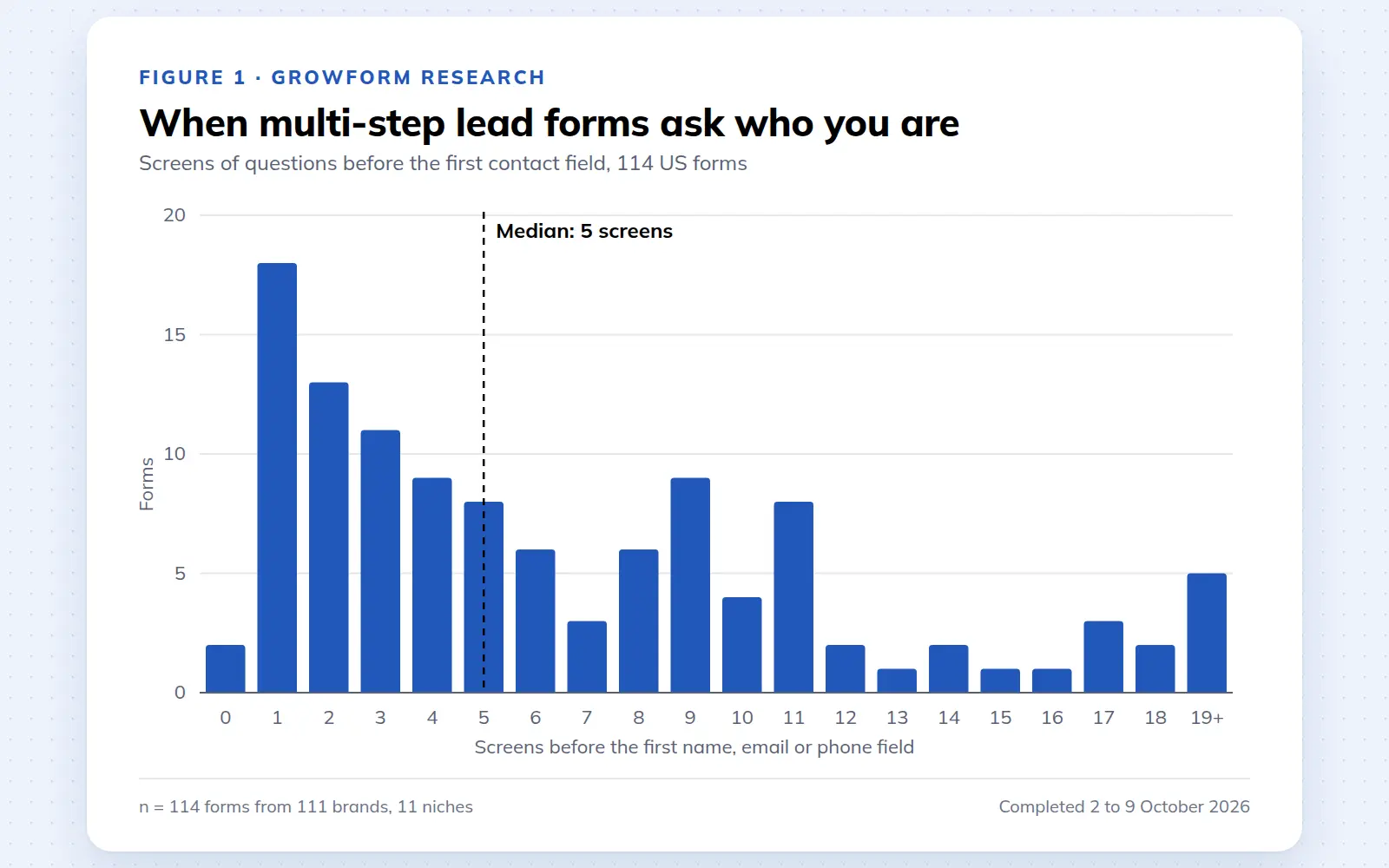
Multi-step lead forms: a 2026 study of 114 forms
We completed 114 US multi-step lead forms screen by screen in October 2026 and counted how long they are, what they ask first, how they show progress, when they ask for contact details and how they ask for consent.
October 9, 2026
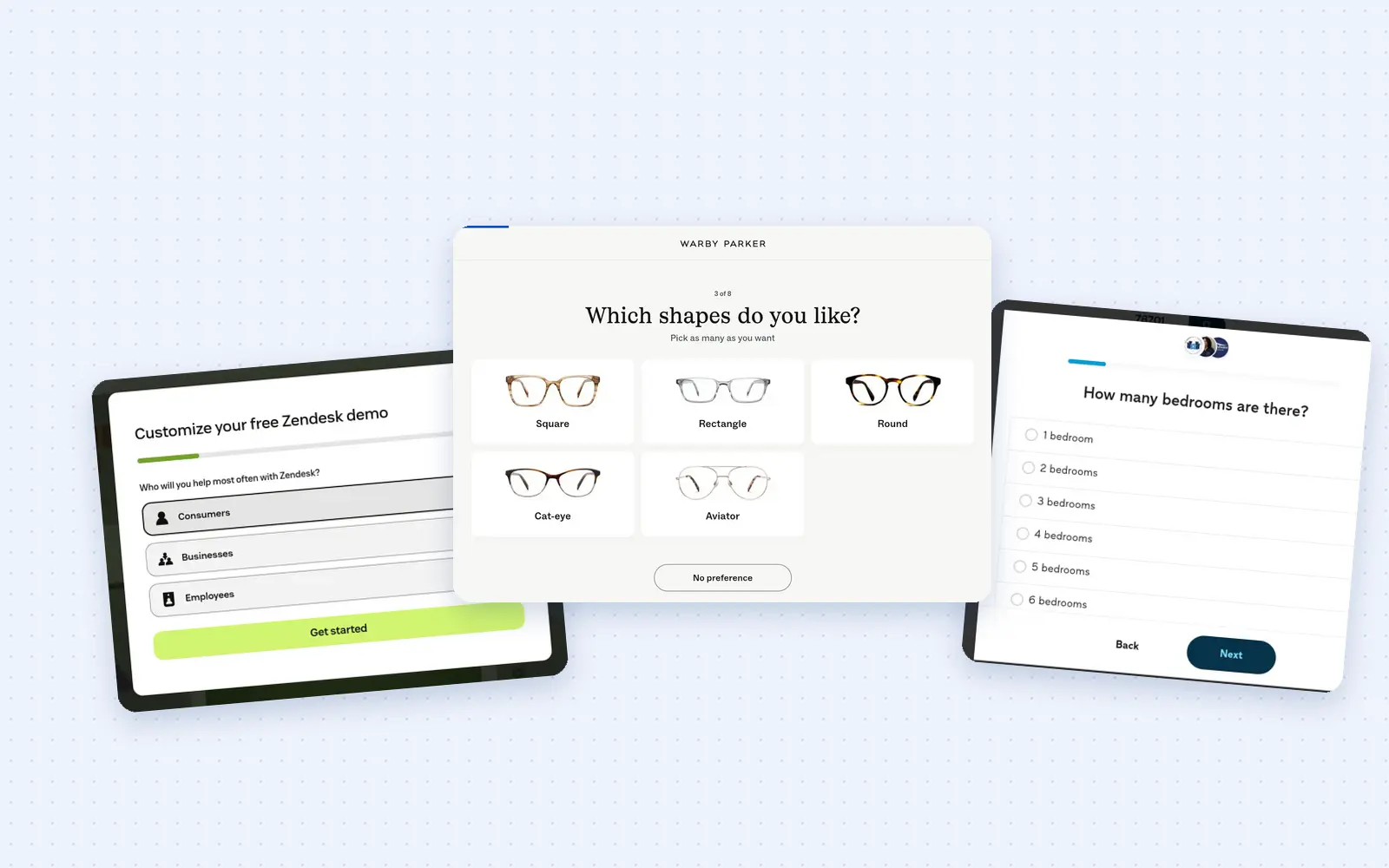
25 lead generation form examples to steal in 2026
From one-field newsletters to mortgage forms, we filled out 25 lead generation forms of every type. Here's what works in 2026, and what to learn from them.
October 9, 2026
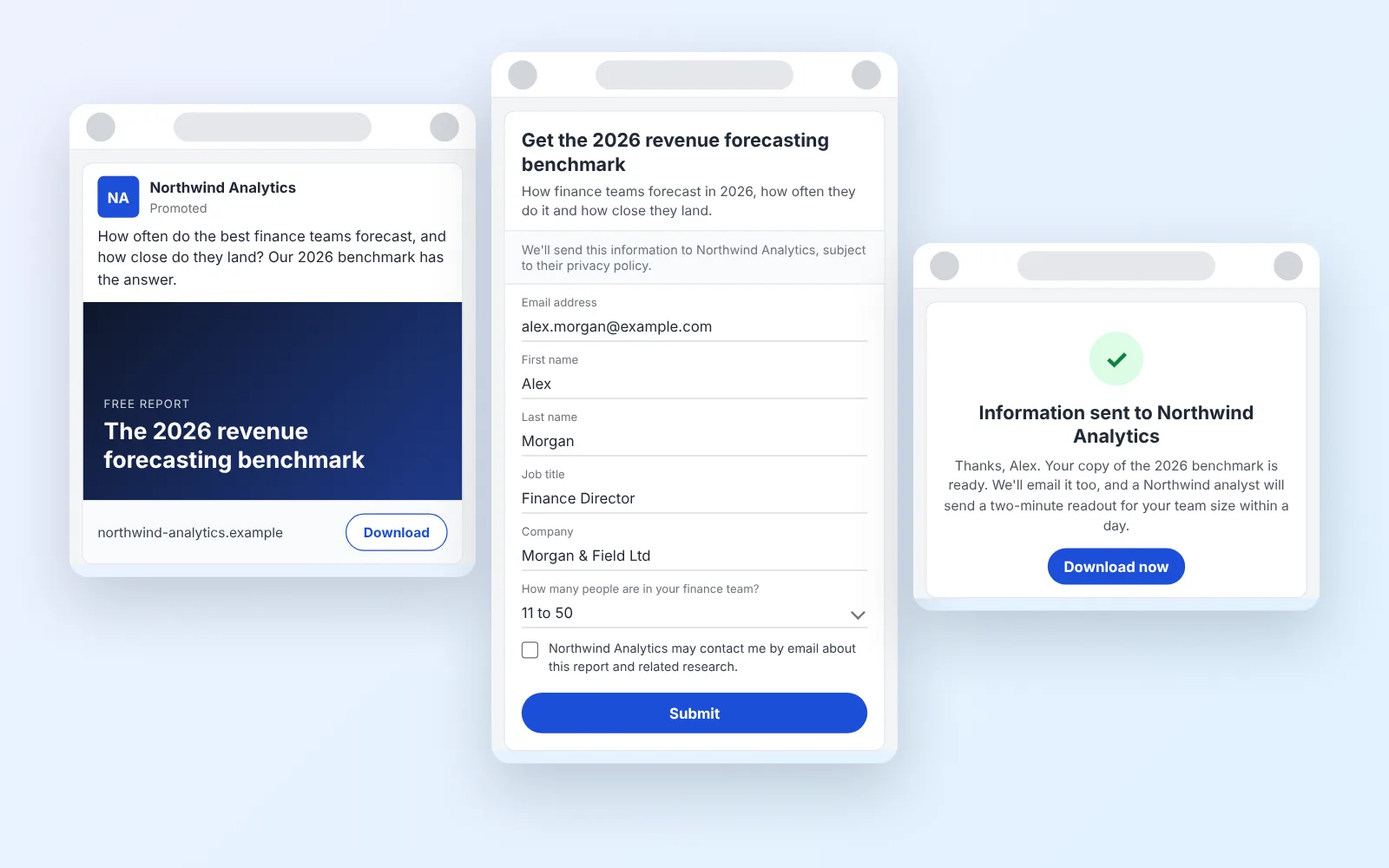
14 LinkedIn lead gen form examples worth stealing in 2026
We painstakingly searched across hundreds of LinkedIn lead gen forms, collated reams of data and worked out what's worth drawing inspiration from in 2026.
October 9, 2026