
How to Build Lead Gen Quizzes That Actually Convert
Lead gen quizzes aren’t a novelty format. Interact’s long-running benchmark puts the start-to-lead conversion rate at 40.1%, with 65% of starters finishing the quiz, which is why the format keeps winning paid traffic budget instead of getting treated like a gimmick (Interact quiz conversion rate report). The people who care about that number aren’t hobbyists….

Updated Published 14 min read
Lead gen quizzes aren't a novelty format. Interact's long-running benchmark puts the start-to-lead conversion rate at 40.1%, with 65% of starters finishing the quiz, which is why the format keeps winning paid traffic budget instead of getting treated like a gimmick (Interact quiz conversion rate report). The people who care about that number aren't hobbyists. They're the performance marketers buying clicks in solar, insurance, legal, mortgage, home services, and B2B, where the quiz has to do more than entertain, it has to qualify, route, and hand off cleanly.
Why lead gen quizzes earn paid traffic budget
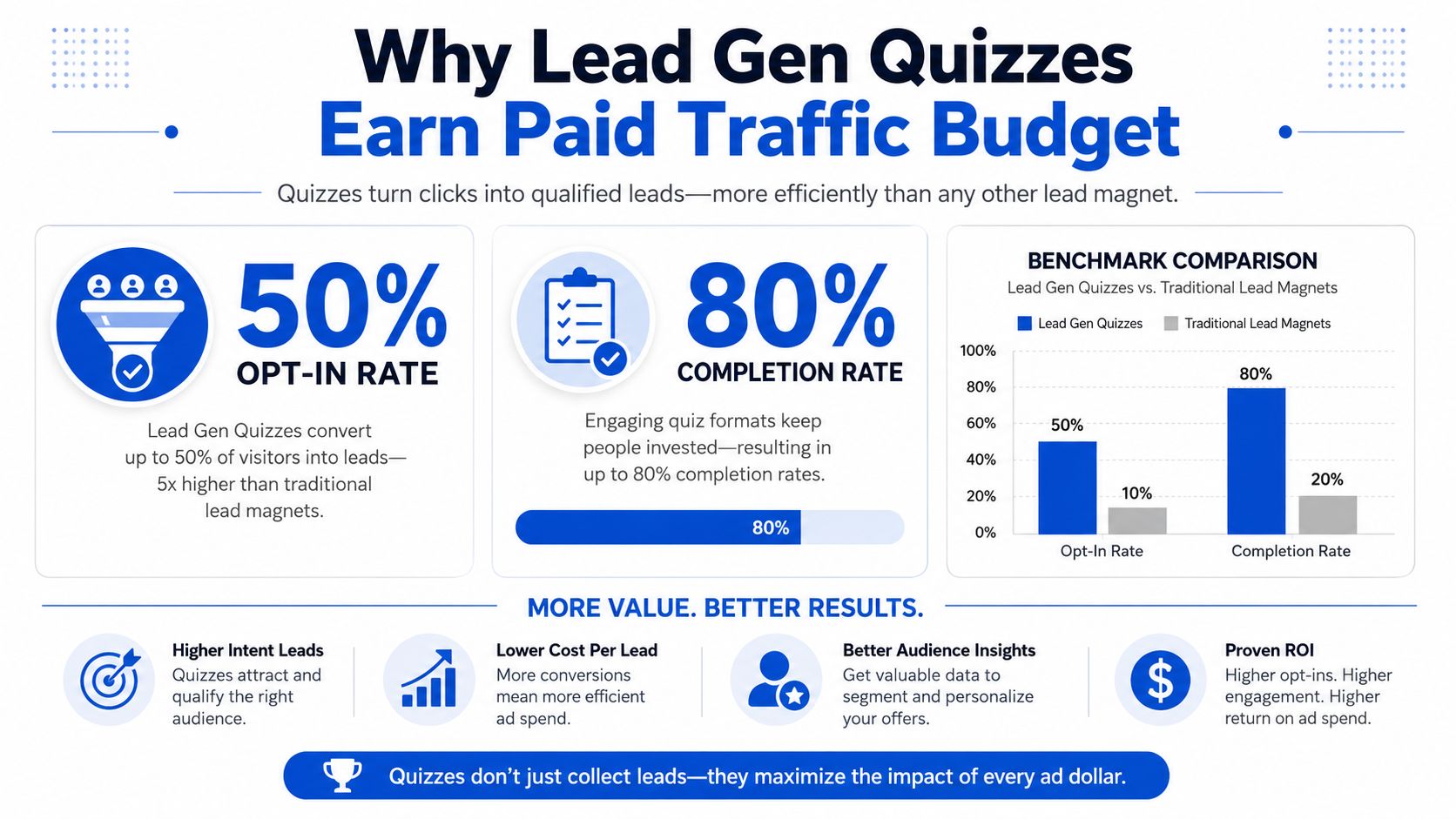
Riddle's 2025 Quiz Marketing Report, based on 3.13 billion questions answered, found a 41.4% opt-in rate for quizzes, roughly 1.9% for a standard pop-up, a 73.4% average completion rate, and 37% lower cost per lead when paid traffic went to a quiz instead of a pop-up (Riddle's 2025 Quiz Marketing Report). That spread is enough to get budget approved by anyone buying traffic on Meta, Google, or native placements. The same report also showed quiz-led ads with a 22.97% click-through rate versus 13.48% for standard ads, which matters because the format can earn attention before the lead form appears.
What the budget buyer is actually buying
A quiz is not just a prettier form. Paid teams are buying declared intent data they can route, score, and hand off with less guesswork. A quiz that captures job role, budget range, home ownership, timing, or product fit gives the CRM something operational, not just a name and inbox.
That changes the economics after the click, not only at the ad level. A lead buyer does not want a pile of raw form fills. They want leads that can be accepted, segmented, and contacted without a lot of manual cleanup. The quiz earns budget when it cuts waste between acquisition and action.
Where the format becomes standard, not experimental
In high-consideration categories, the quiz is often the default capture path because the buying process already depends on qualification. Solar needs property context. Insurance needs household or coverage context. Legal and debt need threshold and timing context. Mortgage and home services need a fast read on fit, urgency, and contactability.
Declared, zero-party data feeds CRM fields, buyer rules, nurture branches, and sales alerts in a way ordinary landing pages usually do not. If your traffic is cold and your vertical depends on qualification, the quiz format is not a creative flourish. It is a better operating layer for the lead.
If you want the page experience to support that flow, conditional logic forms are the build pattern that keeps the quiz adaptive without turning it into a static questionnaire.
Designing the question flow that qualifies without killing completion
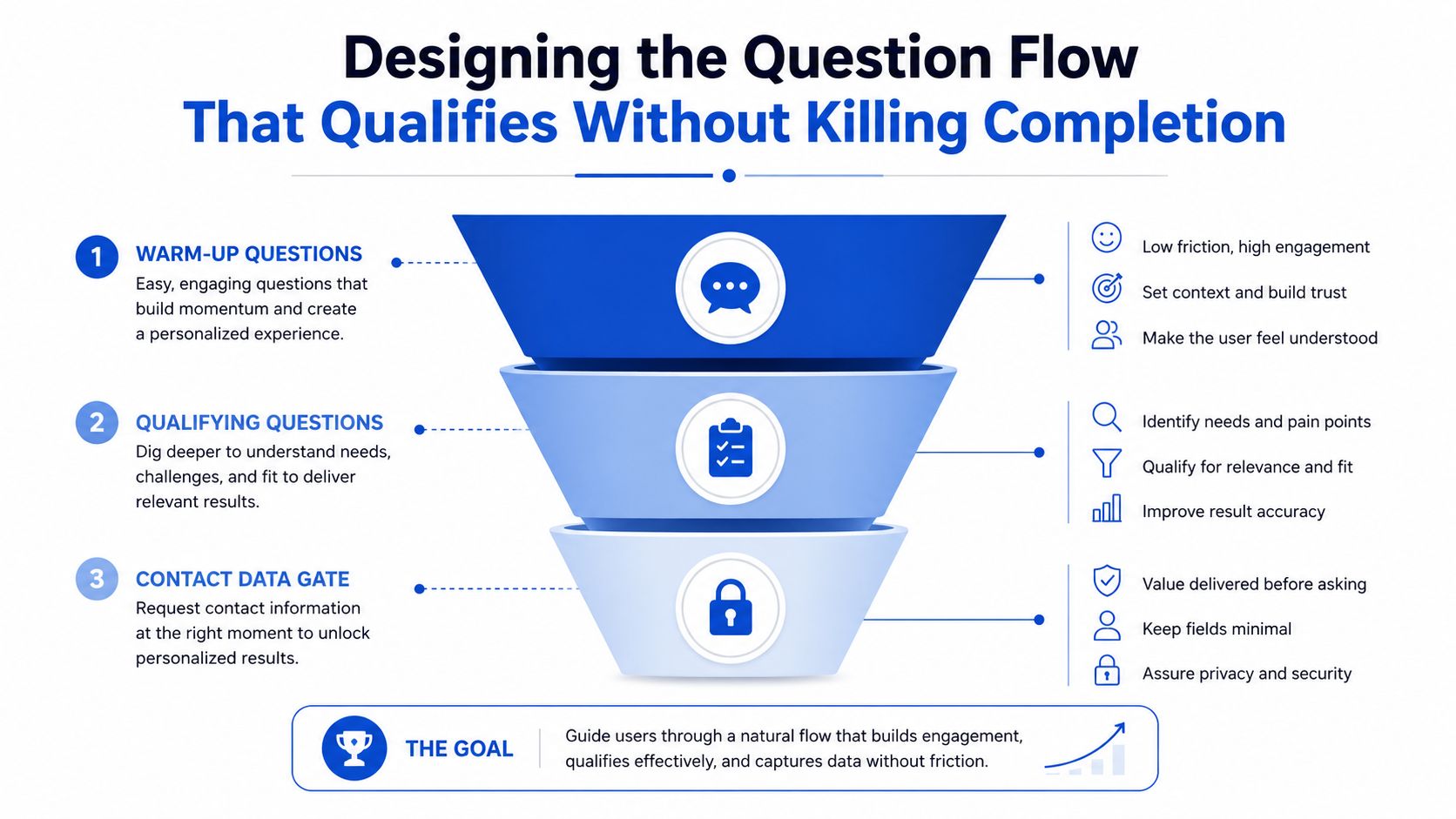
The best quiz flows act like a decision tree, not a survey. Start with easy, low-friction questions that feel obvious to answer, move the qualification layer into the middle, and keep the contact gate at the results step. That structure matches how people tolerate friction online, because they'll keep going when the early steps feel lightweight and the value is still visible.
The sequence that actually holds attention
A strong flow usually lands in the 5 to 7 question range, because each extra step creates another chance to stop. In high-consideration B2B, finance, or home services, adding an 8th or 9th question can be justified if the extra input materially improves acceptance or routing quality. The point isn't to minimize the form at all costs, it's to keep the smallest set of questions that changes downstream decisions.
A solar quiz is a good example. Start with home ownership and roof type before asking about the monthly bill, because ownership and roof control tell you whether the lead can move forward at all. A debt quiz should lead with debt amount and timeline, because those answers tell you whether the lead fits a buyer threshold and whether follow-up should be immediate or slower.
Every question should map to a decision
A question that doesn't change routing, scoring, disqualification, or follow-up probably doesn't belong.
That sounds strict, but it keeps the flow from turning into vague market research. If an answer doesn't change a branch, a score, a buyer ping, or a sales queue, it's probably decorative. The quiz becomes a segmentation engine when each response has an operational job.
The cleanest way to do this is to assign each middle question to one of four functions:
- Routing: send the lead to a specific sales rep, buyer, or segment.
- Scoring: increase or decrease fit based on budget, authority, need, or timing.
- Disqualification: politely stop unfit traffic before it hits the inbox.
- Handoff: determine what the results page and follow-up should say.
The same conditional-logic approach aligns with that model because it treats the form as a branching system instead of a linear list of prompts.
Disqualification should feel clean, not punishing
Out-of-market leads don't need a hostile dead end. If someone rents and the solar offer requires roof control, say so plainly and give a short explanation. If a debt lead falls below a buyer threshold, move them to a softer resource or a lower-priority nurture path instead of pretending they're a fit.
The goal is to protect conversion quality without making the quiz feel like a trap. That balance is what keeps borderline users engaged while stopping junk from contaminating the pipeline.
Building the mobile-first quiz experience
Most paid traffic lands on a phone, so mobile isn't a fallback layout. It's the primary experience. If the quiz feels cramped, slow, or visually uncertain on mobile, your completion rate pays for it immediately, even when the question content is strong.
The components that reduce perceived friction
Single-question-per-step layouts work because they keep the user focused on one decision at a time. Large tap targets matter because tiny buttons create hesitation, especially on lower-end devices. Address lookup is better than free text for location fields, since autocomplete reduces typing and prevents dirty data.
Inline validation is also worth the extra setup. Don't wait until the final step to tell someone their email is malformed or their phone format is wrong. Catching errors in the moment keeps the flow moving and avoids the feeling that the form is broken.
This mobile conversion guide is useful if you're checking layout choices against practical form behavior rather than design taste.
Microcopy should lower anxiety at the exact friction point
The email field needs reassurance about what happens next. The phone field needs a clear reason for being requested, especially if it's tied to speed-to-lead or qualification. The disqualification page should feel respectful, not dismissive, because people remember when a form treats them like bad data.
Short, plain microcopy usually wins here. Keep the email prompt focused on result delivery. Keep the phone prompt tied to contact or verification. Keep the disqualification message framed around fit, not failure.
The first question decides whether the quiz exists
The first prompt is the hook. If the opening feels too broad, too clever, or too personal too soon, users drop before the branching logic can do its work. In solar, an opener about home ownership works because it's concrete. In insurance, asking about the type of coverage or household situation is more grounded than a generic “what are you looking for” prompt. In legal or B2B, a direct question about case type or company role usually beats a playful opener that sounds disconnected from the offer.
Typography, color, and brand control also matter because the paid traffic team needs the form to feel native to the ad creative, and the brand team needs to sign off without asking for a rebuild. If the quiz looks bolted on, trust falls. If it looks like the ad continued into the page, the transition feels deliberate.
Wiring attribution and hidden fields that survive multi-step flows
Attribution breaks when the lead data gets separated from the path that created it. UTMs vanish, click IDs disappear, and the CRM record arrives with no usable source context. That's not a small technical annoyance, it's how media buyers lose optimization power and start guessing which campaigns are working.
Capture the data at entry and never let it go
The clean pattern is simple. Capture UTMs, referrer, page URL, and platform click IDs on the first touch, pass them through hidden fields on every step, and stamp them onto the final submission that reaches the CRM, webhook, and any buyer payload. If the form is multi-step, every step should carry the same attribution context forward.
That is the point of hidden fields, because they only help if they survive the full flow. A field that gets captured on step one and lost by step four is just decorative metadata.
Server-side signals matter when browser tracking is thin
Meta and Google conversion APIs belong at the quiz level, not as an afterthought. Fire the lead event server-side so you still send a usable conversion signal when browser-level tracking gets weaker. GTM container support and one-click pixel firing help, but the value is having the submission itself act as the source of truth.
If the CRM has the lead but the ad platform doesn't get the event, the media team optimizes blind.
Test the chain before buying traffic
Before launch, run a paid test click and check the full pass-through. Make sure the source fields appear in the final submission, the webhook payload, the CRM record, and any distribution platform you use. Then inspect the raw payload, not just the dashboard view, because dashboards can hide missing fields behind friendly labels.
A broken chain usually shows up in one of three places. The source is blank, the click ID is missing, or the CRM record no longer matches the original campaign. Catching that on day one saves a week of bad optimization, which is usually the expensive part.
Adding compliance and verification without slowing the form
In insurance, legal, mortgage, debt, and home services, a lead without consent evidence isn't just low quality. It may be unsellable. That's why compliance belongs in the build, not in a legal appendix someone notices after launch.
Put consent where the user is already deciding
Consent language should sit next to the phone and email fields, not buried in a footer. On mobile, it needs to read in the same visual rhythm as the rest of the quiz, short enough to scan and clear enough to understand before submission. The FCC's one-to-one consent rule was vacated by the Eleventh Circuit in January 2025 and never took effect (Insurance Marketing Coalition v. FCC), but consent copy should still be specific to the lead exchange, not generic boilerplate. The TCPA guide for lead gen operators covers where the rules stand.
TrustedForm and Jornaya integrations should fire on submit so the lead carries proof of consent, along with cert IDs, timestamps, and session data. That proof matters to carriers and legal buyers, because they need a record that the lead was collected with the right disclosure attached.
Verify before the lead reaches sales
Phone and email verification should happen in real time at submission. Twilio can help confirm phone validity, and ZeroBounce can cut bad email addresses before they hit a nurture sequence or buyer feed. Waiting for a nightly batch is too slow when speed-to-lead matters and the bad lead has already burned the first call attempt.
The point isn't to make the form feel stricter. It's to remove bots and uncontactable records before they create operational drag. A quick verification pass can protect both the buyer and the sales team from wasting contact attempts on junk.
Compliance copy that feels tacked on makes the whole form feel risky. Copy that feels native makes consent part of the experience.
Routing, scoring and the handoff to sales or buyers
Most public quiz content stops at lead capture. That's where the work begins. A quiz is only useful if the answers change who gets the lead, how fast they get it, and what they see when it lands.
Score the answers like a real buyer would
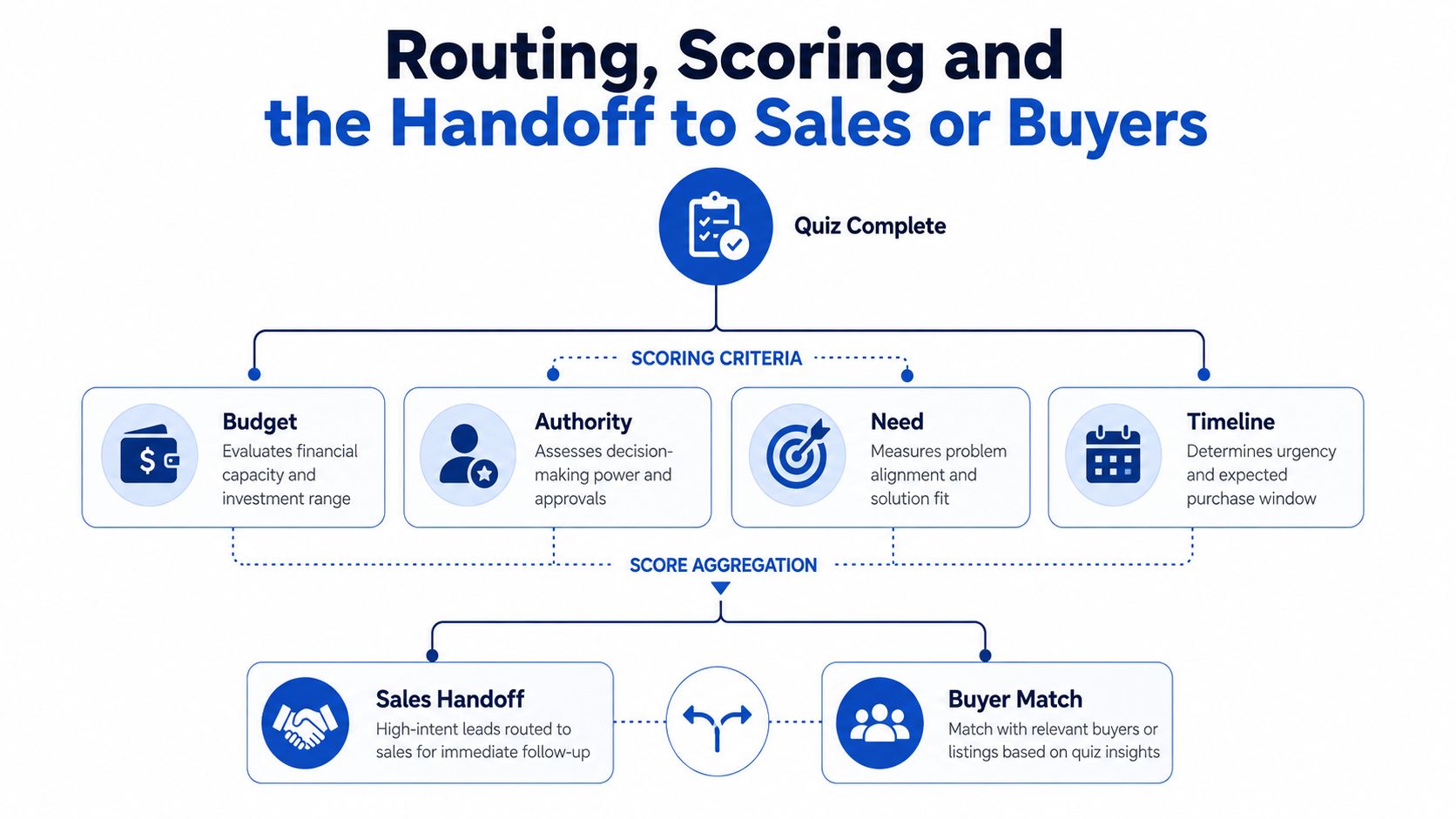
Budget, authority, need, and timeline are the obvious scoring axes because they map to acceptance and urgency. A lead with budget and timing fit should not enter the same path as a lead that's curious but nowhere near ready. The score doesn't need to be fancy, it needs to be consistent enough that the CRM and buyer logic can trust it.
From there, route by score bands into the right pipeline. In-house teams might push sales-ready leads into HubSpot or Salesforce. Lead buyers might send them through Boberdoo, Phonexa, LeadByte, or LeadsPedia for distribution and acceptance handling. Webhooks, 7,000+ apps through Zapier, and instant lead alerts all exist to protect speed-to-lead when the lead is hot.
Don't gate too early
Collecting the email at step one depresses lead capture, and the loss gets worse on paid traffic because you pay for every visitor who never reaches the results gate. Collecting contact data at the end usually works better because the user has already invested effort and seen enough value to make the exchange feel fair.
A practical disqualification path keeps the lead experience clean. If a solar quiz finds a renter with no roof control, the user should see a short explanation and a graceful exit or a softer resource. If a debt quiz finds a balance below the buyer's threshold, that partial lead should either route to a lower-intent nurture stream or be discarded if it would just burn buyer trust.
What the handoff should contain
The final payload should include the answer data, the score band, the source fields, consent proof, and the route decision. That's what allows sales, buyer ops, and reporting to stay aligned instead of arguing over what the lead “really” was. The quiz isn't done when the form submits. It's done when the right person gets the right record with enough context to act.
Playbooks for insurance, solar and mortgage
Insurance, solar and mortgage all need cleaner routing than a one-field form can provide, and they're common places where paid traffic gets expensive fast. The same principle runs through each playbook: ask enough to qualify, but don't ask in a way that kills momentum.
For insurance, the flow should start with policy type, then move into ownership, ZIP, and a small set of intent questions. TrustedForm and Jornaya evidence should be captured at submission, and the lead should route in real time via webhook to the buyer or distribution layer. The KPI to watch in the first 30 days is buyer acceptance, not just form completion.
For solar, the quiz should segment by roof type, home ownership, and energy usage before it presents the offer. That lets the campaign match the homeowner to the right installer instead of dumping every click into the same bucket. The first KPI is qualified completion, because the point is to sell a fit, not to harvest curiosity.
For mortgage, a calculator step can turn a rate or payment estimate into a route toward appointment booking. Non-owners and out-of-area visitors should be removed early through conditional logic, not after the estimate is already calculated. The KPI to watch is meeting quality, because that's where a calculator proves it can do more than impress.
Testing, benchmarking and optimizing the quiz over time
The right weekly review is simple. Start rate tells you whether the hook works. Step drop-off tells you which question is too expensive. Completion rate tells you whether the flow is tolerable. Opt-in rate tells you whether the results gate has enough value. Buyer acceptance and campaign CPL tell you whether the quiz is profitable.
Make the question count decision on quality, not taste
Start with seven questions. If completion drops below 40%, cut the friction. If better lead quality is the goal, add two to three questions when the extra information improves acceptance or EPC more than it hurts completion. That tradeoff is the core problem to solve, not “how short can we make it.”
The most effective tests are usually the boring ones. Change the first-question hook. Swap the order of qualification fields. Move the email gate from step one to the results step. Add or remove the phone field. Rewrite the disqualification microcopy so it sounds calm instead of abrupt.
| Lead Gen Quiz Conversion Benchmarks by Traffic Temperature | Start rate | Completion rate | Visitor-to-lead |
|---|---|---|---|
| Cold paid traffic | Qualitatively lower than warm traffic | Middle of the range | 10 to 25% |
| Warm traffic | Stronger than cold traffic | Higher than cold traffic | 20 to 45% |
| Organic traffic | Typically stronger than cold traffic | Often stable when intent is high | 20 to 45% |
| Re-engagement audiences | Usually highest starting intent | Often highest completion behavior | 20 to 45% |
The table above reflects the benchmark ranges from interactive-form guidance on quiz builds and traffic quality, not a promise for any one account (Interactive Form quiz benchmarks). If your numbers sit outside those bands, the answer is usually in the hook, the gate, or the routing, not in the traffic source alone.
Choosing a quiz builder for lead generation
General-purpose tools like Typeform and Jotform can collect answers, but a lead gen quiz is judged on cost per lead, mobile conversion, qualification logic and clean handoff into distribution and CRM systems. Native forms in Unbounce, Leadpages or Instapage suit short, simple capture, while a dedicated builder earns its place once the quiz needs branching and hidden-field pass-through. Similarly, GoHighLevel's native forms can feel tight when an agency needs multi-step qualification, design control or clean embeds for client sites.
Growform replaces the capture layer and leaves your landing page builder, CRM and routing platform in place. The lead generation quiz template gives you picture-button opening questions and conditional logic on the rest, lead disqualification handles the visitors no buyer wants, and TrustedForm and Jornaya certificates travel with every submission. Start free trial and put your first quiz in front of real traffic.
Related articles

Step by step form UI design for better lead quality
November 5, 2026
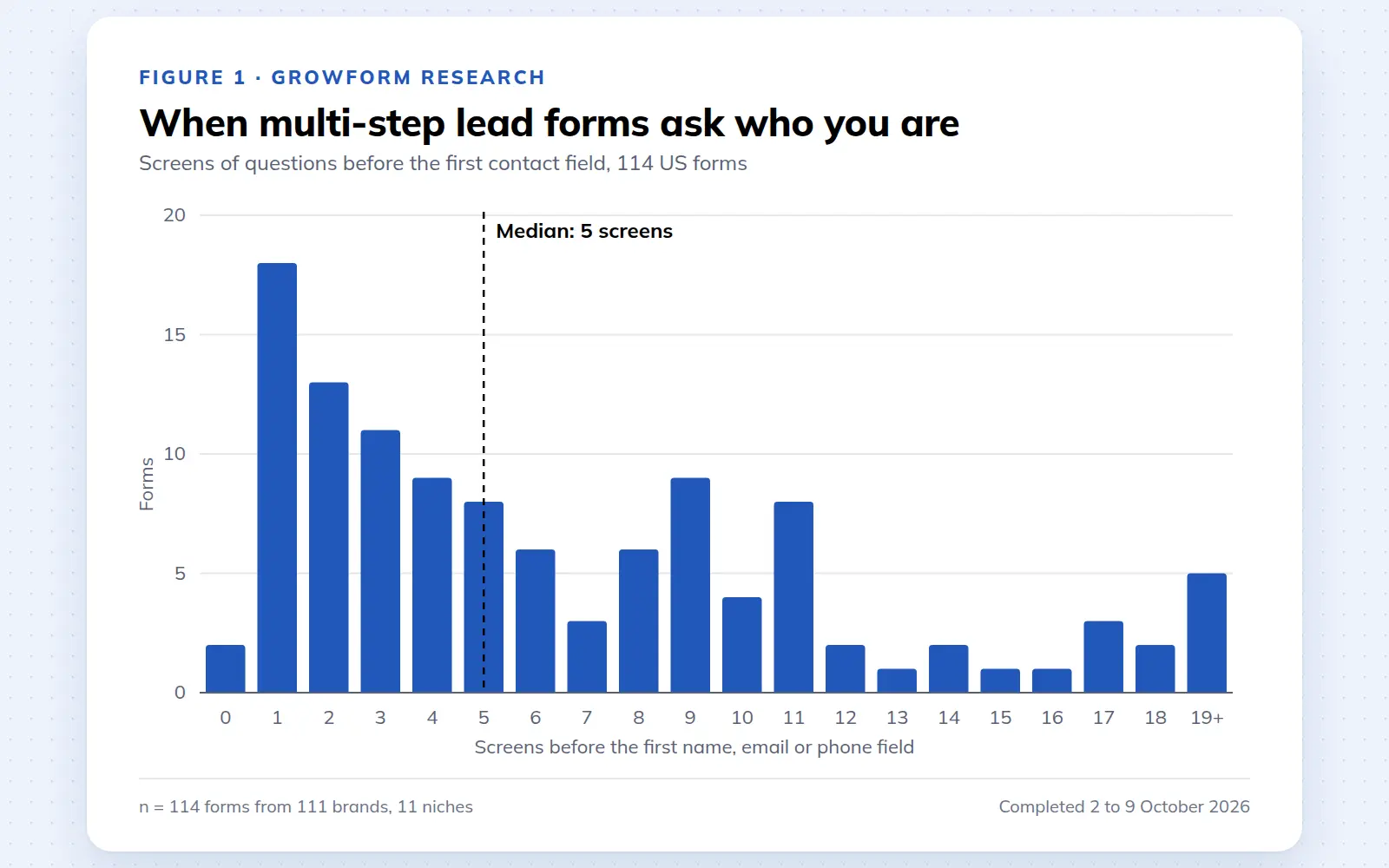
Multi-step lead forms: a 2026 study of 114 forms
We completed 114 US multi-step lead forms screen by screen in October 2026 and counted how long they are, what they ask first, how they show progress, when they ask for contact details and how they ask for consent.
October 9, 2026
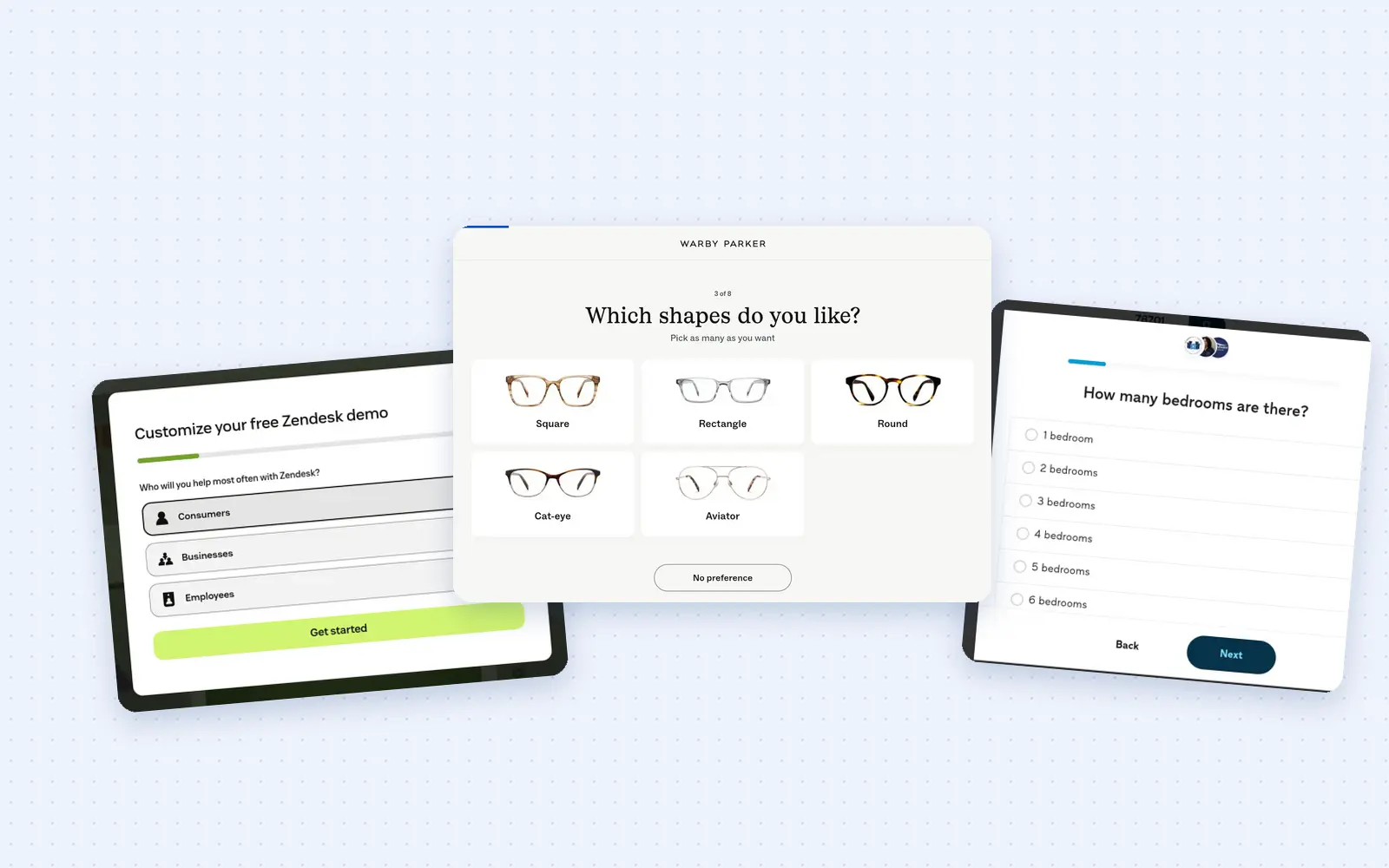
25 lead generation form examples to steal in 2026
From one-field newsletters to mortgage forms, we filled out 25 lead generation forms of every type. Here's what works in 2026, and what to learn from them.
October 9, 2026