Skip to content
Growform Multi Step Form Builder

Unbounce vs Growform

The leading alternative to Unbounce forms

Unbounce as the page builder, Growform as the form builder - a winning combination.

Prices and limits checked on 6 October 2026

Rated 5.0 by marketers on Capterra, G2, Software Advice 5.0 5.0 5.0

Unbounce forms vs Growform forms

Still using Unbounce's forms?

Unbounce builds a strong page, but its forms are usually unsuitable when scaling paid traffic.

As the leading lead generation form builder, Growform gives you high-converting, best-practices lead generation forms that can be embedded in any Unbounce page.

  • Up to 2x more visitors from the same traffic
  • Over 20+ carefully designed field types, including zip codes, address lookups and picture choices
  • Advanced conditional logic and routing to show only the relevant questions
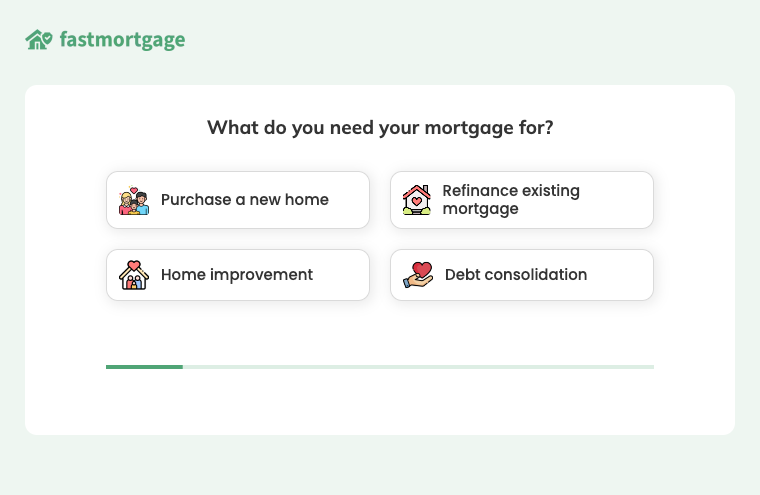
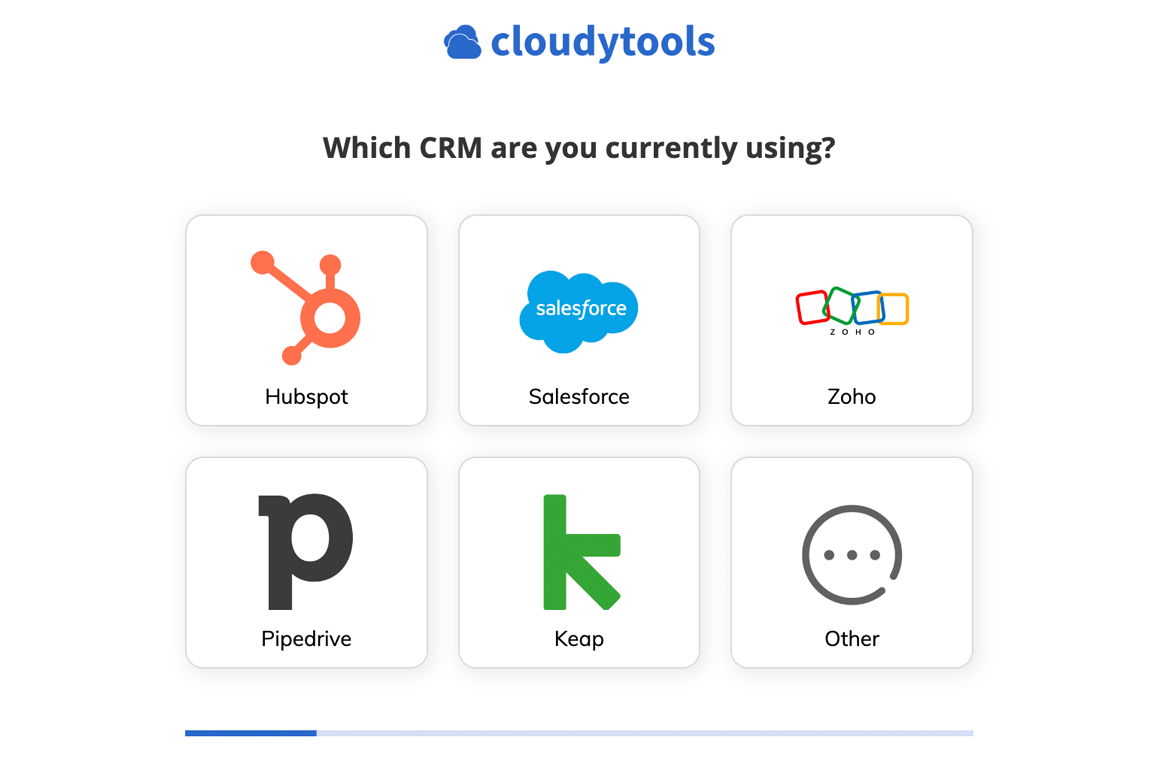
A mortgage form opening with four picture buttons for the purpose of the loan

Qualification and validation shouldn't be afterthoughts

Prospects outside your client's service radius. Addresses that aren't formatted properly. Phone numbers that don't pick up. We've seen it all.

Growform was built to qualify and validate data as users enter it. Our forms let you kick out bad leads so they don't waste your time and prevent bad data entering your database.

Go beyond basic data validation with Twilio Lookup and ZeroBounce email checking, ensuring data entered is valid in real time.

  • Disqualification rules end the form early for leads outside your service area or budget
  • Twilio Lookup and ZeroBounce catch fake numbers and dead mailboxes as they are typed
  • Only qualified leads are reported to your ad platforms, so bidding improves
  • Disqualified leads stay in Growform with their reason, so nothing is lost
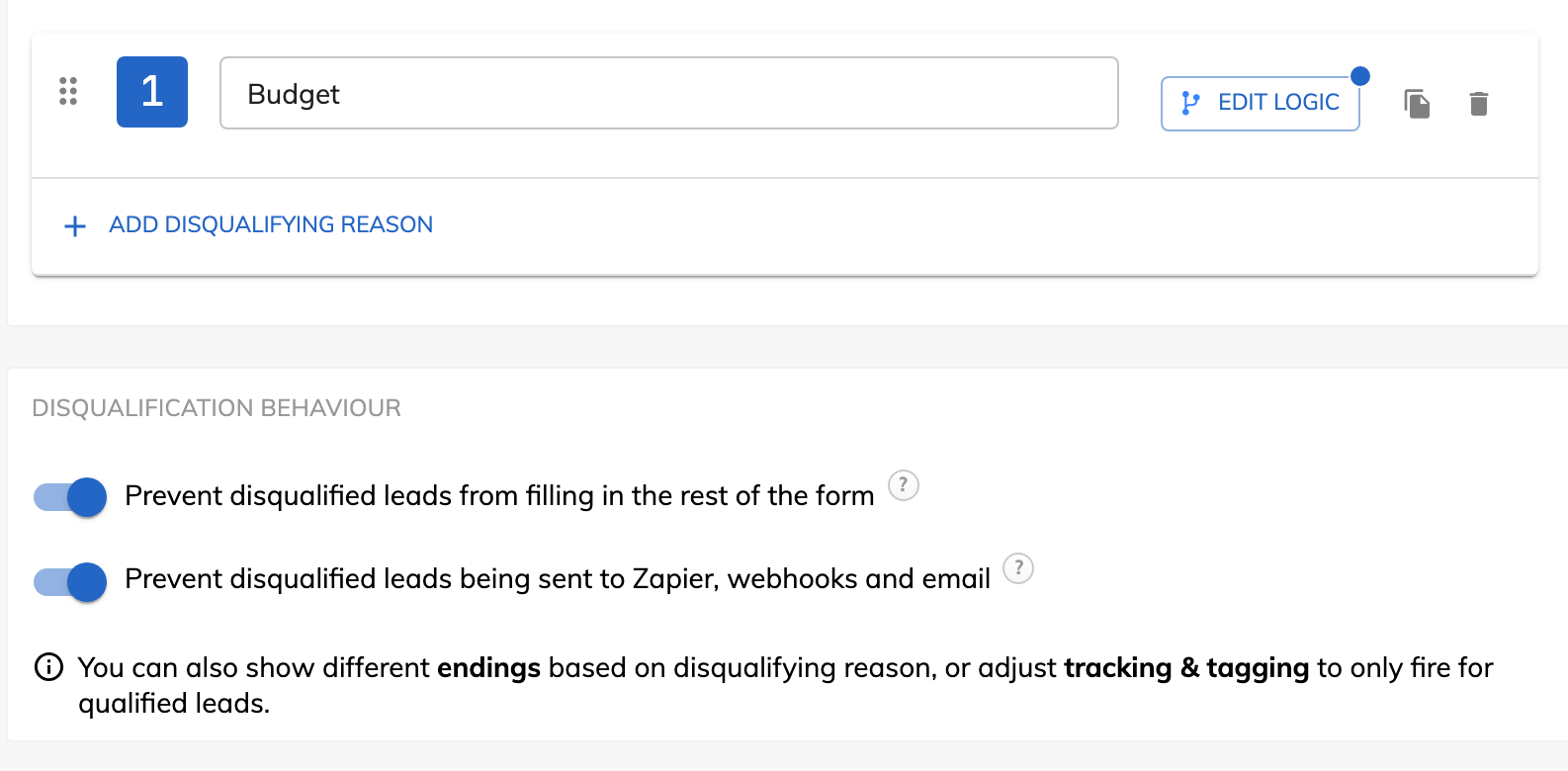
Growform's lead disqualification settings, with a Budget reason and both behavior switches on

Unbounce vs Growform at a glance

  • Multi-step forms built for lead generation

    Unbounce

    Steps, with logic by hacky scripts

    Growform

    Yes
  • Hidden fields for UTMs and the gclid

    Unbounce

    Yes

    Growform

    Yes
  • Webhooks and Zapier

    Unbounce

    Yes

    Growform

    Yes
  • Completed forms count as page conversions

    Unbounce

    Yes

    Growform

    Yes
  • Lead qualification and disqualification

    Unbounce

    No

    Growform

    Every plan
  • Real-time phone and email validation

    Unbounce

    Format and pattern checks

    Growform

    Twilio Lookup and ZeroBounce
  • Ad conversions set inside the form

    Unbounce

    Custom scripts on Build, $99 a month

    Growform

    Paste an ID, every plan
  • Ad conversions for qualified leads only

    Unbounce

    No

    Growform

    Every plan
  • TrustedForm and Jornaya

    Unbounce

    No

    Growform

    Yes
  • Inline on a website outside Unbounce

    Unbounce

    Popups and sticky bars only

    Growform

    Yes
  • Included
  • Higher plan or paid add-on
  • Not offered

Prices and limits as of 6 October 2026. Sources: Unbounce pricing page, saved 6 October 2026, Unbounce help center on multi-step forms, conditional display, URL parameters, webhooks, field validation and popups, read 1 October 2026, Unbounce integrations page, read 1 October 2026, Growform pricing page.

How it works

How does a Growform form sit on an Unbounce page?

A Custom HTML element on the Unbounce page holds one script tag, and the form sizes itself to each step inside it, with the page's colors and font set in the Theme panel. The Unbounce form comes off the page and the Growform one takes its place.

  • Inline in a Custom HTML element, on the Unbounce plans with custom scripts
  • Or a pop-up from any button on the page, with the overlay method
  • The form reads the page URL, so UTMs and the gclid arrive with the lead
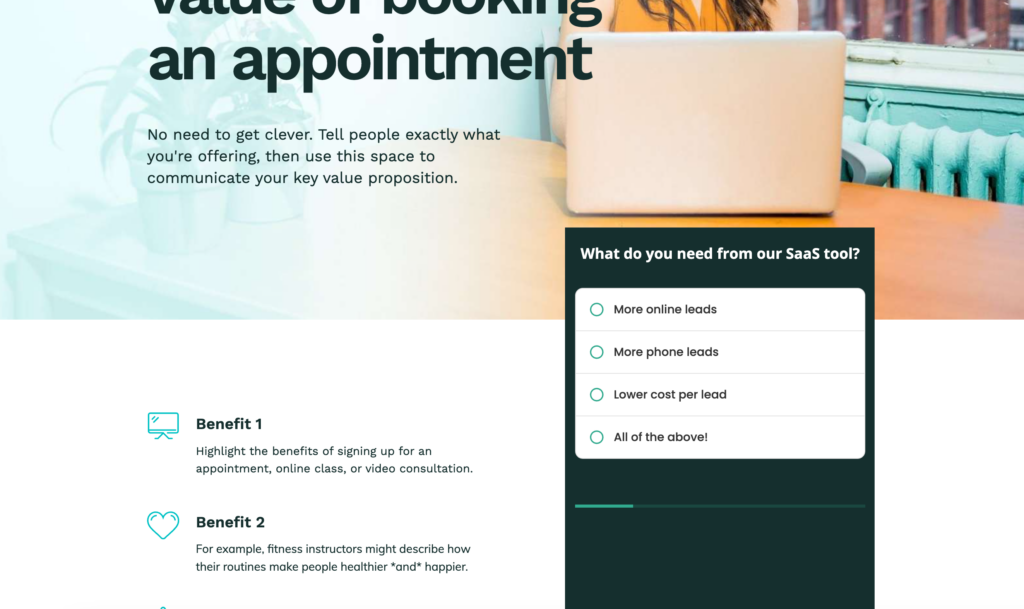
A Growform multi-step form embedded beside the copy of an Unbounce landing page

How do leads reach your CRM from the Unbounce page?

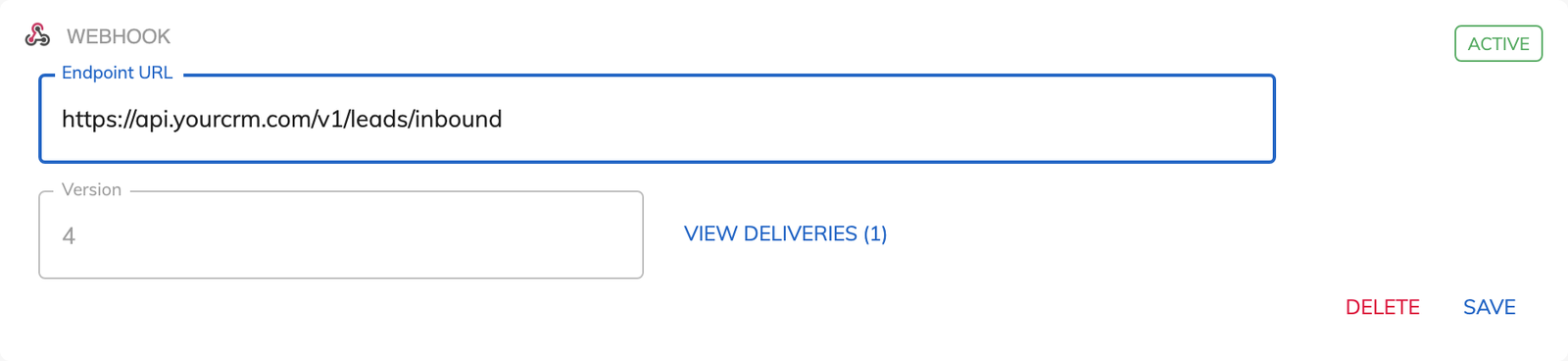
Each completed form posts by webhook to your CRM or lead distribution platform, or runs a Zap, the moment it completes, with up to 10 webhooks per form, automatic retries and a delivery log. Hidden fields carry utm_source, utm_campaign and the gclid as fields of their own.

  • Webhooks and Zapier on every plan, with an instant email alert to the inbox you choose
  • Hidden field presets for the referrer, the page URL, the gclid and the Meta click ID, with no code
  • Google Ads, Meta, Microsoft and X conversions fire from the form, and each completion counts as an Unbounce goal conversion
A webhook in Growform with an endpoint URL and a link to view deliveries

When Unbounce's own forms are enough

Unbounce forms are enough when the page asks for very little. A newsletter sign-up with a single email field, a webinar registration with a name and an email, or a download gate fits on one screen, and its form builder places the fields, validates them and passes the lead to the integrations it already has. Since June 2026 it also splits a longer form into steps with a progress bar, which covers a contact form of a dozen fields that needs no branching.

The case for a Growform form starts where the form has to decide something. A page that qualifies the lead on the property, the budget and the timing, routes a refinance to one team and a purchase to another, or has to prove consent to a lead buyer needs logic between the steps, and that is what the embed brings to the page.

How to put a Growform form on an Unbounce page

The embed is one script tag in a Custom HTML element, and the whole job fits inside an hour. The version with screenshots is our guide to adding a Growform form to Unbounce.

Build the form from a template

Pick the solar, mortgage, insurance or roofing template that matches the offer on your page and paste your questions into the steps. In the theme settings, set the canvas setup to “Embedded on my website” so the form arrives without a header or footer, then match your primary color and Google Font to the page.

Paste the snippet into a Custom HTML element

Activate the form, open “Share form” and copy the embed code. In the Unbounce editor, drag a Custom HTML element to where the form should sit, paste the code, save and check the mobile layout. To open the form from a button instead, use the pop-up code and follow the overlay method.

Connect the leads and map the UTMs

Add a webhook or a Zap under “Alerts & integrations”, add hidden fields for utm_source, utm_campaign and gclid, then paste your ad platform IDs under “Tracking & tagging” and switch on the Unbounce goal conversion.

Growform is built for the industries that live on leads

Pick your industry to see what the form asks, how the leads arrive qualified, and about the live template you can start from today.

Finance & insurance

Qualified applicants, with the consent certificate attached.

Lead buyers want proof of consent, and call centers want fewer people who were “just researching prices”. Our best-practice life insurance template first asks about coverage, health and stage before anything personal, can verify the phone number before it’s submitted, and can record a TrustedForm or Jornaya certificate with every submission.

Live template · Life insurance
First step of the Life insurance template
  • TrustedForm and Jornaya consent certificates in one click
  • Asks about a second applicant only when there is one
  • Phone and email verified before the lead is submitted

Unbounce alternative FAQ

Why does a Growform form convert more than an Unbounce form?

Because the form was designed for the visitor who arrived from an ad, not drawn as a block on a page. A Growform form opens with a question answered by a tap on a picture button, keeps each step to one or two questions, shows a progress bar and asks for the phone number and email last, once the visitor has invested a few answers. That order comes from UX research and psychology, and Growform's own figure is up to 2x more leads than a single-step form, with 20 to 30% the usual uplift. Unbounce's steps, added in June 2026, carry the fields across screens and leave the rest to you.

Can an Unbounce form qualify or disqualify a lead?

Its docs describe required fields, format checks and a dropdown script for showing extra fields, and nothing that rules a lead out. Growform's lead disqualification names a reason such as Renter or Outside service area, tests it against the answers as they are given, and lets you decide whether the lead finishes the form, which ending they see and whether they reach your webhook at all. The qualified leads only switch on each ad platform then tells Google Ads and Meta about the leads you can sell or call.

Does Unbounce validate phone numbers and email addresses?

It checks their format. A phone field expects the number pattern of its region, a required field cannot be left empty, and a regular expression can tighten either rule. Growform adds a live check through Twilio Lookup on the number and ZeroBounce on the address, using your own accounts, so a disconnected line or a disposable mailbox is caught on the step where it was typed. Both come with Professional and above.

Does Growform add TrustedForm and Jornaya to an Unbounce page?

Yes, on Professional and Scale. TrustedForm is one toggle in the form's tracking settings and saves a certificate URL with every lead, with no script on the Unbounce page. Jornaya LeadiD and Contact State run on the same form with your account codes, and all three values leave with the lead in the webhook, the Zap and the email alert, ready for the buyer.

How does Unbounce pricing compare with Growform's?

The two meter different things, so the honest figure is what the pair costs. Unbounce pricing on 6 October 2026 was $29 a month for Starter with 500 visitors, $99 for Build with 20,000 visitors, $149 for Experiment with 30,000 and $249 for Optimize with 50,000, billed monthly, with 25% off on yearly billing. Growform is $79 a month for Basic with 300 leads, $139 for Professional with 1,000 leads and $249 for Scale with 3,000 leads. A Build page with a Basic form on it is $178 a month, and the form side only rises when the leads do. Above its visitor allowance, Unbounce's help center prices extra traffic at $80 for every 10,000 visits, read 1 October 2026.

Are there Unbounce alternatives that only replace the form?

Yes, and Growform is one of them. Unbounce's own help center points to third-party form providers when a page needs more than its form builder makes, and a form embedded in a Custom HTML element is the route it describes. The tools it names are general form builders, where a Growform form is built for lead generation and embeds the same way.

Which Growform plan does an Unbounce user need?

Basic, at $79 a month, covers a form on one domain with multi-step forms, conditional logic, lead disqualification, hidden fields, webhooks, Zapier and ad conversions. Professional, at $139, adds the Unbounce goal conversion, unlimited embed domains, your own Google Tag Manager containers, TrustedForm, Jornaya and real-time phone and email validation through Twilio and ZeroBounce, which makes it the plan for an agency with several client pages. No plan meters the traffic the Unbounce page sends to the form, so a page with 50,000 visitors and 800 leads sits on Professional whatever the traffic does.

Start your free trial

Create beautiful multi-step forms that convert, with a 14-day free trial. No credit card required.