
Growform HVAC Lead Forms for Better Job Qualification
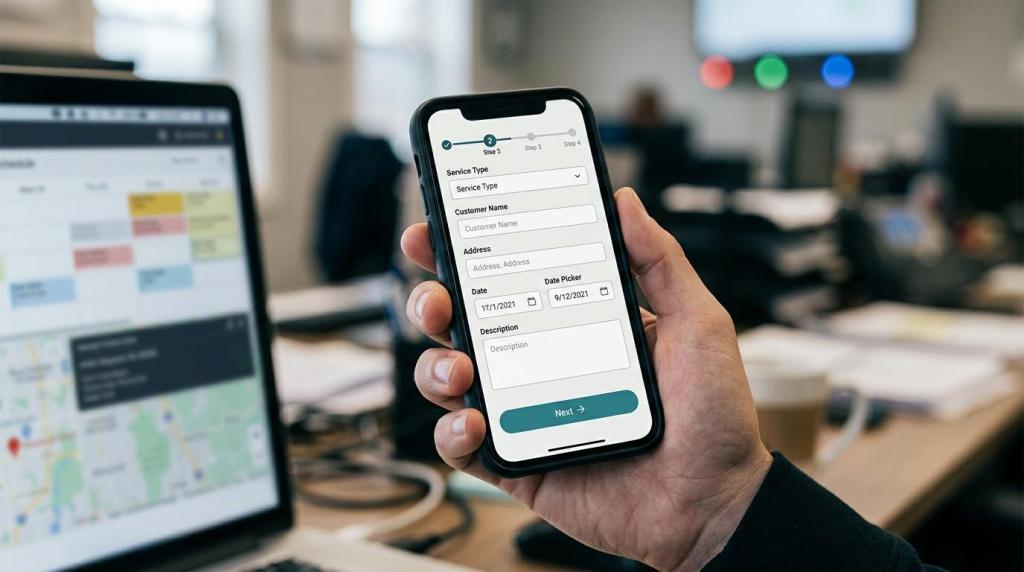
HVAC paid traffic is expensive, and every unnecessary form field can cost you booked jobs. Growform helps HVAC marketers, agencies, and lead generation teams capture more service requests with multi-step lead forms that qualify the job before it reaches sales, dispatch, or a buyer.
Growform is a no-code form builder built specifically for lead generation, not generic contact forms or surveys. You can launch an HVAC lead form from a template, embed it on WordPress, Webflow, Unbounce, Instapage, Leadpages, or a client site with a simple HTML snippet, or share it as a hosted link and send submissions in real time to HubSpot, Salesforce, Google Sheets, or lead distribution platforms.
Table of Contents
HVAC lead forms that improve mobile completion without losing qualification
Most HVAC leads start with urgency and a phone in hand. If your landing page asks for too much too early, the visitor drops before your team ever gets a chance to call.
Growform HVAC lead forms are built around the form UX patterns that support completion: multi-step flow, simple single-column layouts, grouped questions, progress indicators, and inline validation. Independent UX research has long shown that cutting unnecessary fields and keeping layouts simple tends to improve conversion rate.
Growform’s HVAC lead form template is designed to increase leads with a user-friendly flow, and its question order places harder inquiries near the end so you can collect more detail without front-loading friction.
“Growform’s HVAC service template is built to boost HVAC service leads by up to 2x.”
That matters when you need a form that both converts and qualifies. You can keep the first step focused on action, then collect service type, ZIP code, timing, and contact details in a sequence that feels shorter than a long static page.
Growform HVAC qualification forms separate repair calls from replacement opportunities
A repair request, seasonal tune-up, and full system replacement should not follow the same path. Growform uses conditional logic, logic jumps, and disqualification rules so your HVAC lead form only asks the next relevant question.
Growform lets you branch by service type, location, urgency, or homeowner status and filter out out-of-area or poor-fit submissions before they hit your dispatcher or sales rep. That gives your team more context on the jobs worth calling first and less time spent sorting vague form fills.
“Growform uses conditional logic, logic jumps, and disqualification to qualify leads before handoff.”
For HVAC teams, the useful qualification data is usually straightforward. The key is asking it in the right order.
- Job type: Emergency repair, maintenance, installation, replacement, or estimate request
- Service fit: ZIP code, service area, residential or commercial property, homeowner or renter
- Sales priority: Urgency, appointment timing, existing system details, and best contact method
Growform turns those questions into a cleaner lead capture flow instead of a wall of fields. You ask what matters, avoid irrelevant follow-ups, and hand off a lead with clearer intent.
Real-time HVAC lead routing supports the 5-minute response window
Speed matters after the submit button. Lead-response research has long shown that the strongest contact window is within 5 minutes, so Growform routes HVAC submissions instantly instead of leaving them buried in an inbox for later. We can send leads by webhook, Zapier, email, SMS, or WhatsApp alerts into GoHighLevel, HubSpot, Salesforce, Google Sheets, or distribution platforms such as Boberdoo, Phonexa, LeadByte, and LeadsPedia.
“Growform sends submissions to email or 300+ integrations, helping HVAC teams act inside the 5-minute response window.”
Growform also preserves the tracking data that paid HVAC campaigns depend on. Hidden fields carry UTMs, gclid, fbclid, source, and sub IDs across multi-step flows so your CRM or buyer payload still shows exactly where the lead came from.
For teams selling or routing HVAC leads, Growform supports TrustedForm and Jornaya consent evidence at the point of capture. For direct-to-contractor funnels, phone verification via Twilio and email validation via Zerobounce help reduce fake submissions, bot traffic, and uncontactable leads before your team wastes time on them.
Growform gives HVAC marketers better form control than generic website or CRM forms
Growform is built for lead generation, and that shows up in the details that affect HVAC CPL and lead quality. You get 1-click pixel firing, Google Tag Manager container support, Meta and Google CAPI for server-side conversion signals, and design control that goes beyond the rigid native forms inside many landing page builders and CRMs.
Growform also makes HVAC campaign launches faster. You can start from one of 100+ templates, adapt the flow for emergency service, maintenance, financing, or replacement offers, and ship without waiting on a developer to rebuild the form from scratch.
Because Growform is hosted on Cloudflare’s global network with 275+ locations, your form loads quickly under paid traffic and stays better aligned with the speed expectations of mobile visitors.
“Growform runs on Cloudflare’s global network with 275+ locations, helping HVAC forms stay fast under paid traffic.”
That combination of speed, design control, and lead-gen plumbing is why Growform often replaces native forms in Unbounce, Leadpages, Instapage, HubSpot, Salesforce, and GoHighLevel when HVAC teams need more than a basic contact box.
Growform is the right HVAC lead capture platform when form performance affects revenue
Growform fits HVAC lead generation teams that care about both volume and job quality. It is especially relevant when your current form is becoming the weak point in a paid acquisition funnel.
Growform is usually a strong fit when:
- You buy HVAC traffic at volume: Mobile completion is lagging, CPL is rising, or your current form is too long and static
- You need better job qualification: Sales or dispatch needs clearer data on service type, urgency, service area, or lead intent before calling
- You need cleaner downstream handoff: Leads must hit GoHighLevel, HubSpot, Salesforce, Sheets, or a routing platform instantly, with UTMs and consent evidence intact
If you only need a basic callback form on a brochure site, Growform may be more than you need. If your HVAC lead form affects CPL, booked jobs, buyer acceptance, or speed-to-lead, Growform gives you a stronger front end for the lead stack.
Launch an HVAC lead form that qualifies better before the call
Start with Growform’s HVAC template and shape the flow around the jobs you actually want more of, whether that is urgent repair, system replacement, or estimate requests. If you want an HVAC lead form that converts on mobile, asks smarter questions, and hands leads off instantly, build your next funnel in Growform.